Warsha BLE Studio for Android
Turn your Android phone into a Bluetooth LE peripheral and explore the devices around you: run ready-made devices, watch every byte, and script your own.
Pro is a one-time Founding Lifetime purchase, or monthly or yearly with a free trial. Compare plans ↓
Free
Everything you need to stand in for real hardware
- Ready-made peripherals such as Heart Rate, Battery, Glucose and Current Time
- iBeacon, AltBeacon and Eddystone beacons
- The Treadmill: four linked peripherals whose speed, heart rate and distance move together
- On-air over Bluetooth, or in local simulation
- Live controls, inspector and event log
- Explore: scan and connect to nearby devices, with decoded values, recordings and traces
- Write, import and export scripts, on the phone or from your laptop's browser
Pro
$15.99 once, or $1.99/month or $9.99/year with a 14-day free trial
- Run your own JavaScript peripherals
- Behavior hooks that steer a composed device's simulation
- Every composed device, including Indoor Bike, Rower, HID Keyboard and BLE-MIDI
- The GATT profile library and import from URL
- Networking, storage and state machines for scripts
- Real-time shaping and fault injection
The device your app talks to, on the phone in your pocket
Building an app that connects to a heart-rate strap, a treadmill or a beacon usually means buying the hardware first. Warsha BLE Studio makes your Android phone that hardware: it advertises as the peripheral, serves its GATT services, and lets your app connect to it like the real thing. It works the other way round too: Explore scans for the devices around you and connects to them.
Run a ready-made device
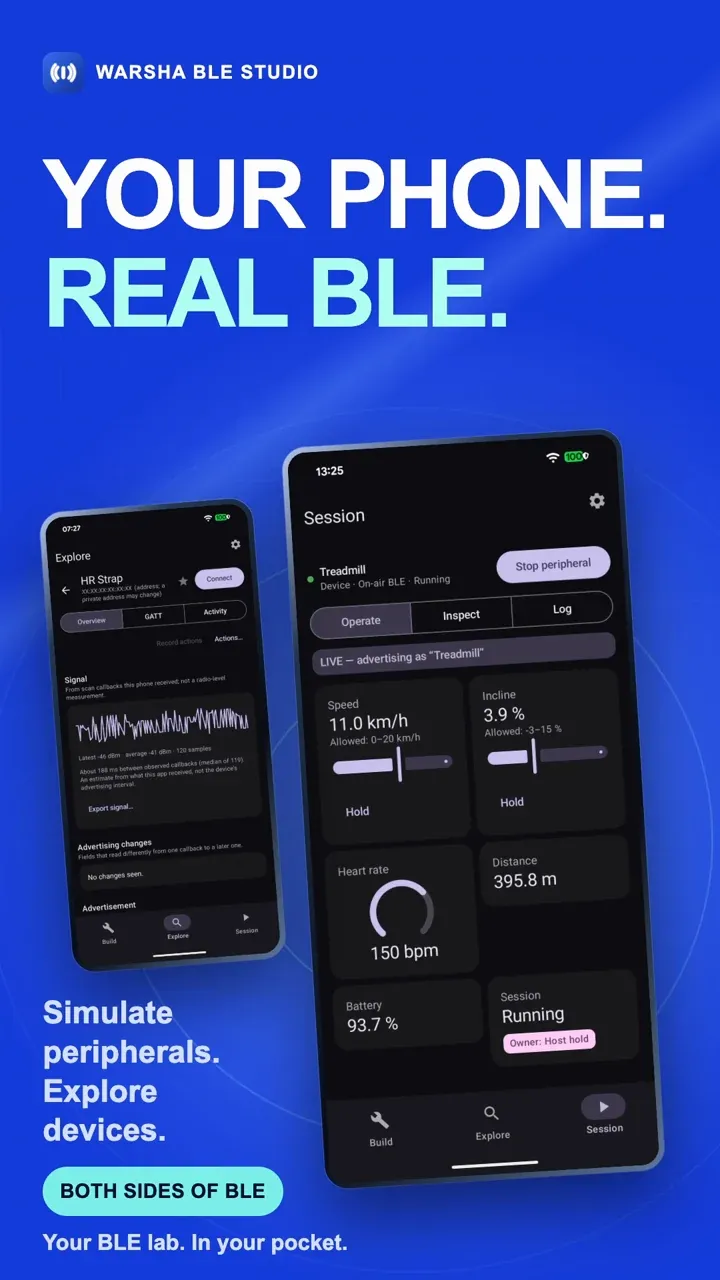
Pick a peripheral from the catalog and press Run. The free catalog covers everyday single peripherals such as Heart Rate, Battery, Glucose and Current Time, the iBeacon, AltBeacon and Eddystone beacons, and the Treadmill: Fitness Machine, Heart Rate, Battery and Device Information linked into one device, so raising the speed makes the heart rate climb and the distance add up.
Each target has a Run card with two destinations. On-air BLE advertises over the phone’s radio for a real central to find. Local simulation runs the same peripheral inside the app, with no Bluetooth permission and nothing to pair, which is the quickest way to try something out. Starting values such as speed, battery level or charging state are saved per target and applied to the next run.
See what your app sees
While a peripheral runs, the Session tab shows it three ways:
- Operate: the device’s own controls. Change the speed, pause a workout or hold a value, and the peripheral updates for every connected central.
- Inspect: each characteristic’s current value as raw bytes, timing readouts, and the centrals that are connected and subscribed.
- Log: what happened and when, from advertising to your script’s own output.
Explore nearby devices
Explore is the other side of the Studio, and it is free. Scan for the Bluetooth LE devices around you, sort and filter the list, save the ones you come back to, and follow each device’s signal over time. Connect to read, write and subscribe: standard values are decoded, and you can describe a custom characteristic’s bytes once so its values read as named fields.
To repeat a test, record a sequence of actions and replay it, export a trace, or compare two runs side by side. Point Explore at Local simulation and it finds a peripheral running in the app itself, so you can try the whole loop with no second device.
Android needs the nearby-devices permission and precise location, with Location switched on, before any app receives scan results. Warsha never reads your location, and what Explore finds stays on the phone unless you export it.
Script your own peripheral Pro
When the catalog does not have the device you need, write it. A script defines services and characteristics in JavaScript and answers reads, writes and subscriptions itself. It runs in a sandbox: networking and on-device storage are off until you allow them for that script. Control variables declared in a script appear as live controls in the Session tab, and a behavior hook attached to a composed device can react to what a central writes and steer its simulation.
Write on the big screen
A phone is a fine radio and a cramped editor. The Remote Script Editor serves a full editor to a browser on your laptop: pair it with the PIN the app shows, write and save there, and the script is deployed to the phone and running without a rebuild. Its traffic is not encrypted, so use it on a Wi-Fi network you trust.
Plans
| Plan | US price | |
|---|---|---|
| Free | $0 | Explore, ready-made single peripherals, beacons and the Treadmill, with the inspector |
| Founding Lifetime Pro | $15.99 once | Offered during the founding period |
| Pro monthly | $1.99 / month | 14-day free trial |
| Pro annual | $9.99 / year | 14-day free trial |
- Founding Lifetime Pro is a one-time purchase that permanently unlocks Pro in the Android app, including Pro features delivered in later updates. It may close to new buyers after the founding period; existing owners keep it.
- To try Pro first, choose the monthly or annual plan: each starts with a 14-day free trial, one per Google account and shared by both plans. A subscription gives you Pro while it is active.
- Your files stay yours. Cancelling or letting a trial end never locks or deletes your scripts: editing and export stay available.
US prices are shown before any applicable sales tax. Google Play shows the price, currency and tax for your region at checkout, and that is the price you pay. The pricing and licensing FAQ has the details.
Availability
Warsha BLE Studio for Android is available on Google Play.
It needs Android 11 or newer. Advertising as an on-air peripheral also needs a phone whose Bluetooth supports the peripheral role; local simulation works on any supported phone.